QUEST LOG · April 7, 2019· UPDATED June 2, 2026
辨識錯誤 tensorflow KeyError "The name 'import/input' refers to an Operation not in the graph."
# 近期遇到的小錯誤
python
KeyError: "The name 'import/input' refers to an Operation not in the graph."
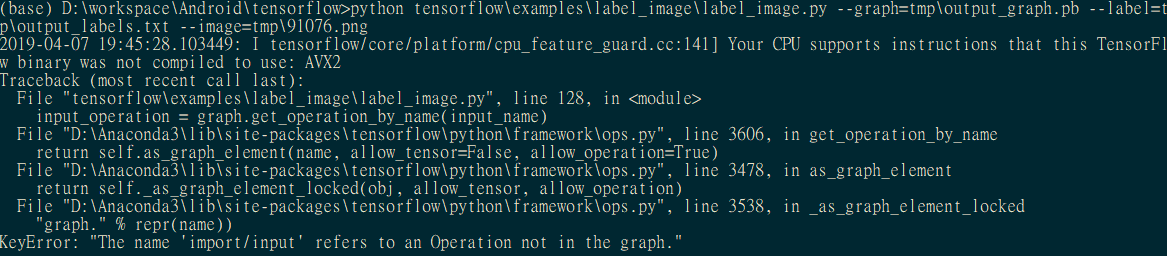
簡單來解釋就是他的名字你打錯了 所以 input 才會 input 錯
我自己爬文去嘗試了各種 "Mul" "input"之類的都錯
最後看到這篇文章 link
# 懶人包
先用
tensorflow的工具將.pb轉成可以用tensorboard可以觀看的格式,再查出input_layer(我的是placeholder)和output_layer是甚麼名字再重新修正。
這是我的程式碼(再依照個人需求更改)
python
python tensorflow\examples\label_image\label_image.py --graph=tmp\output_graph.pb --label=tmp\output_labels.txt --image=tmp\91076.png --input_layer=Placeholder --output_layer=final_result輸出

我做的 App
iOS 與 Android 都能免費下載。